Recommendations
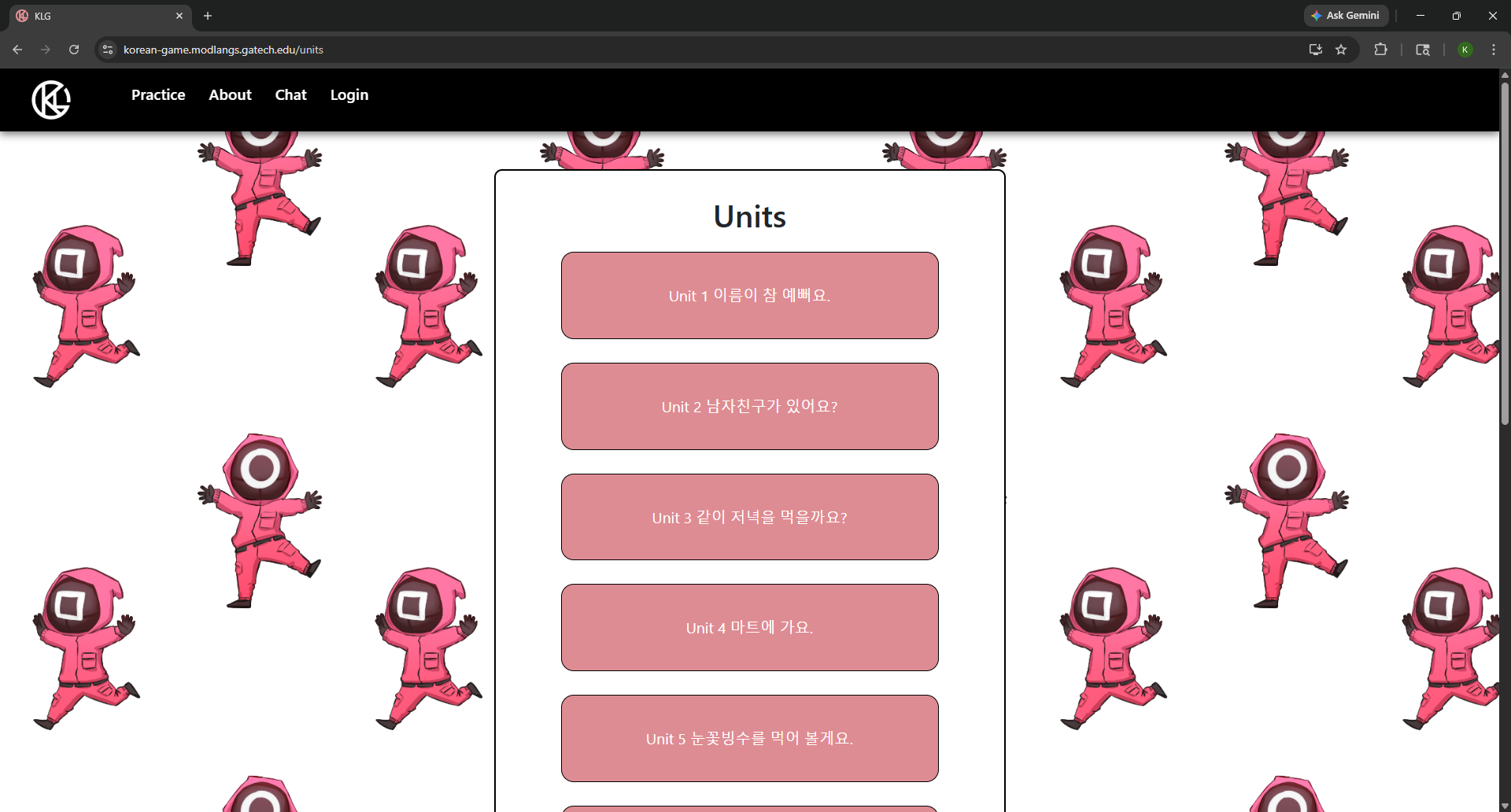
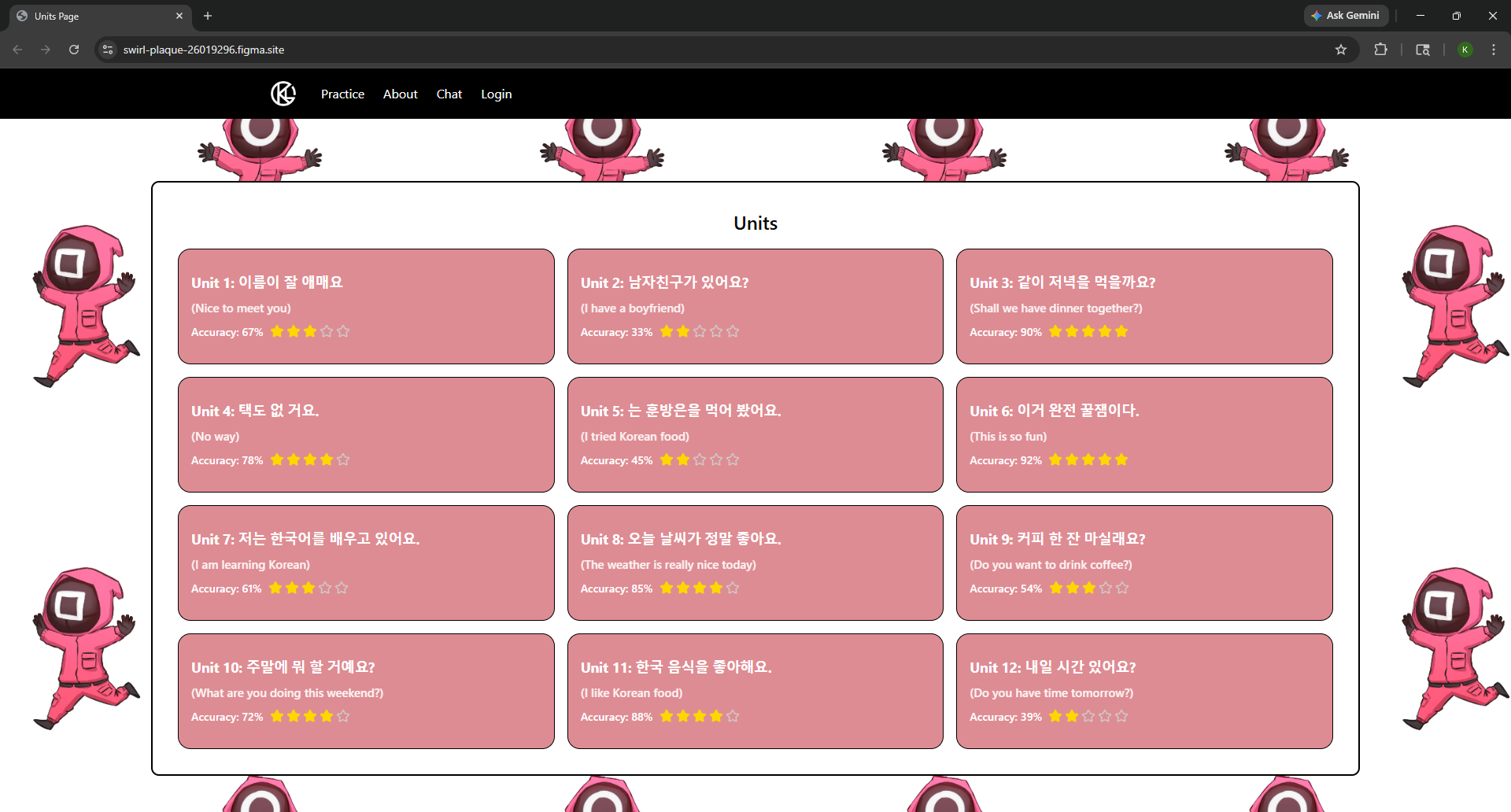
During Task 3, which asked participants to study vocabulary through flashcards, the average completion time was 41.8 seconds. P5 personally took 97 seconds just to get through the task. These times were high because the layout made it harder than it needed to be to get to the study content. Participant 4 said there was "an unnecessary click for each unit," meaning users had to do more steps than expected just to get where they were going. On top of that, 2 out of 6 participants, P3 and P6, both mentioned on their own that early parts of the site were written only in Korean, which made it hard for beginners to understand anything before they even started. To fix these two problems, we recommend changing the Units page to a grid layout that shows multiple units at once, so users can quickly spot and click on what they need without scrolling through a long list. We also recommend adding English translations to all unit titles and navigation labels so that beginners are not stuck before they even begin learning. We also suggest adding accuracy ratings, like stars and percentages, directly on each unit card so users can check their progress without having to visit a separate page. You can view our fully interactive prototype for the Units page here: https://swirl-plaque-26019296.figma.site
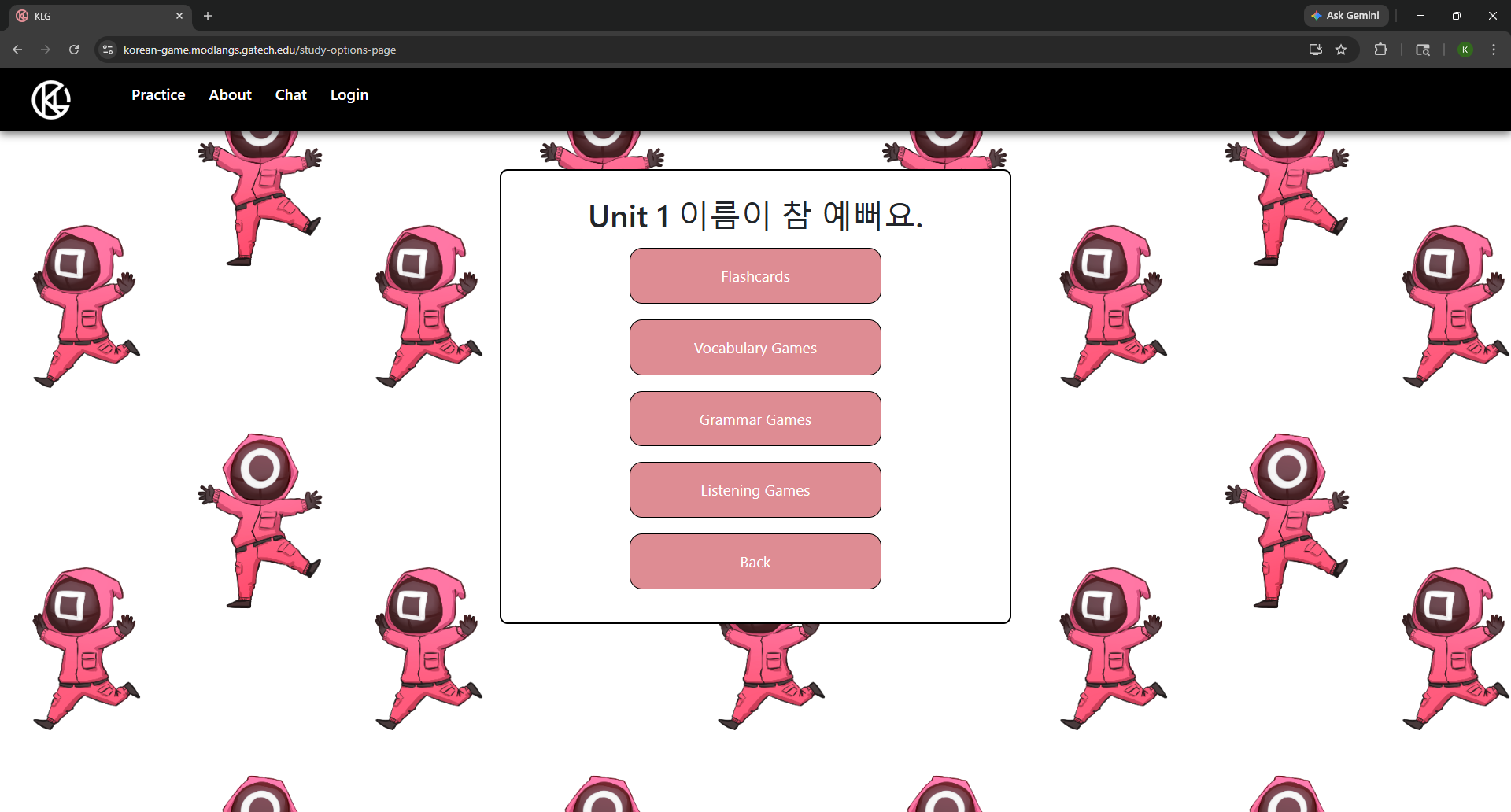
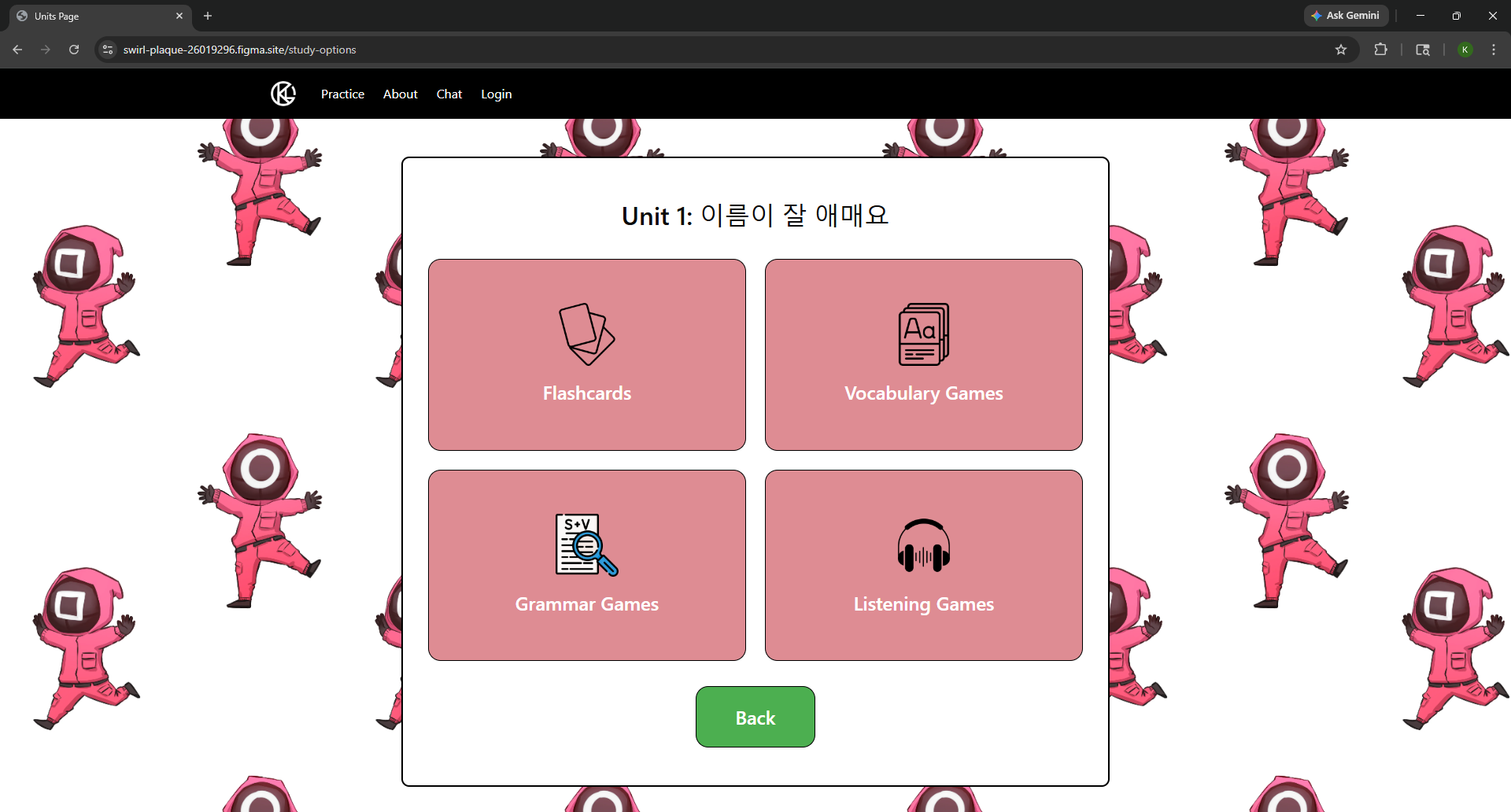
The biggest reason Task 3 took so long was that flashcards and games were kept on completely separate pages. As Participant 4 put it, "the flashcards and games are on a different page." This meant that if a user wanted to switch between the two study modes, they had to leave their current page and go looking for the other one. That pattern was confirmed by the 41.8-second task average and P5's 97-second completion time. The original interface also had no icons or labels to tell users what was on each page before clicking through, making it easy to go to the wrong place. We recommend redesigning the Study Options page to put all study modes, including Flashcards, Vocabulary Games, Grammar Games, and Listening Games, onto one screen with a clear icon for each option. This lets users see all of their choices at once and pick the right one right away, with no extra clicks needed. You can view our fully interactive prototype for the Study Options page here: https://swirl-plaque-26019296.figma.site/study-options
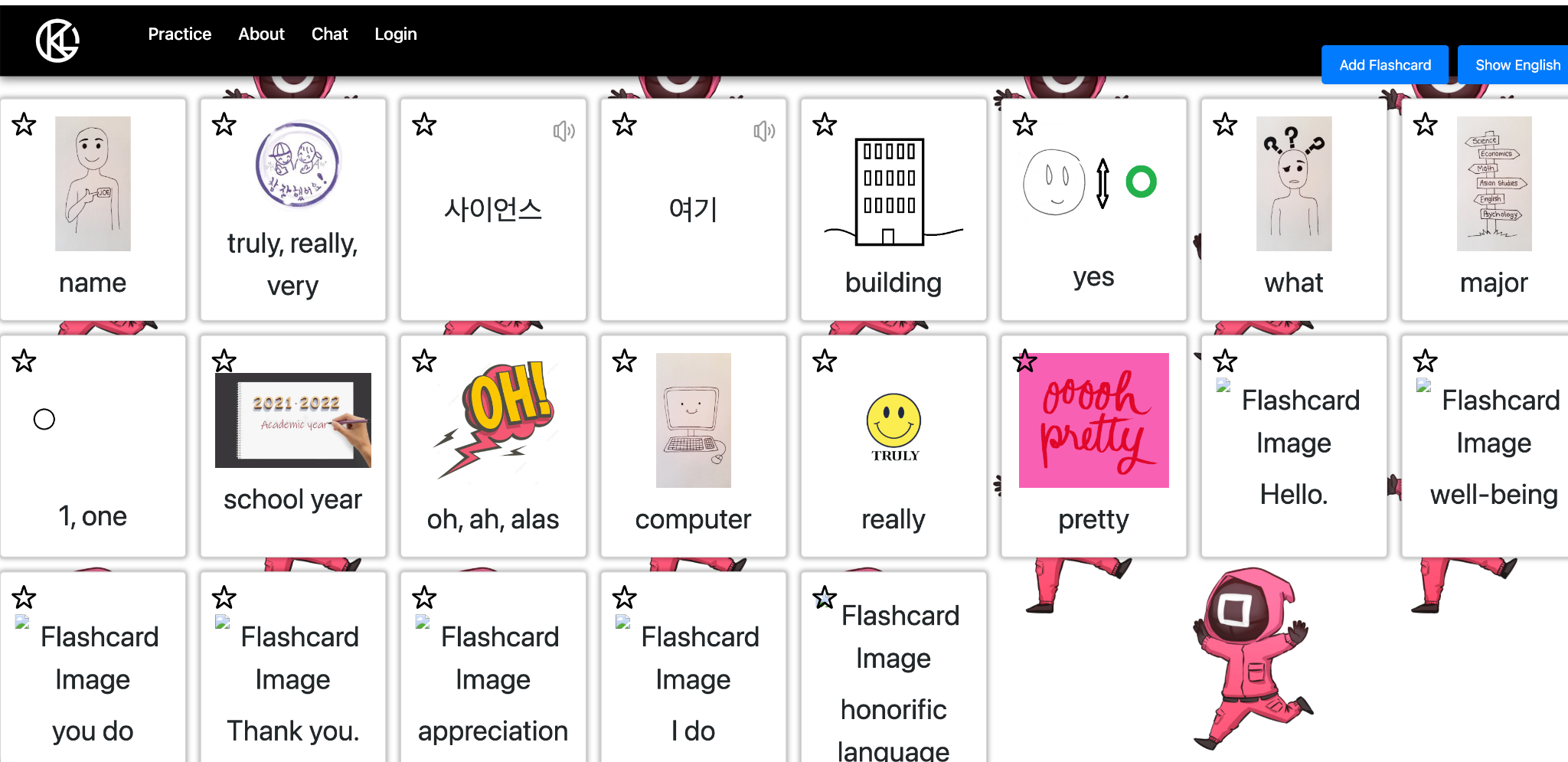
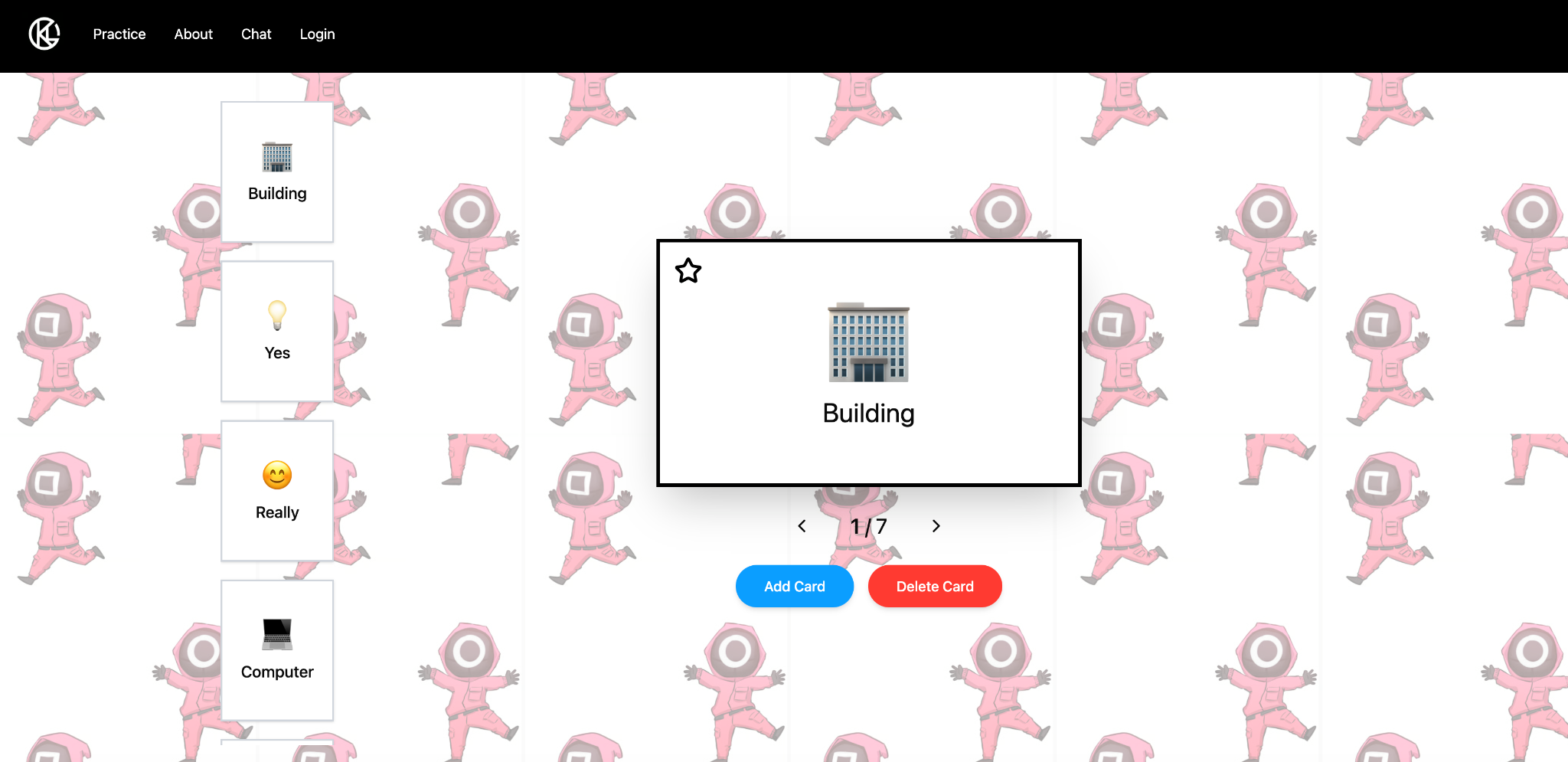
Screen recordings from Task 3 showed that P1 took 76 seconds and P5 took 97 seconds, and a lot of that time was spent just looking at the flashcard page trying to figure out where to start. The original design showed a large table of all vocabulary words at once, which made it hard to focus because there was too much to look at. We recommend switching the flashcard page to a Quizlet-style design where only one card appears at a time in the center of the screen. This makes studying much easier because users are not overwhelmed with a wall of text. Instead of scrolling through rows of words trying to find their place, users are walked through one term at a time in a clear and simple order. This design directly fixes the visual overload that slowed down multiple participants during Task 3. You can view our fully interactive prototype for the Flashcard page here: https://search-dun-24205027.figma.site/
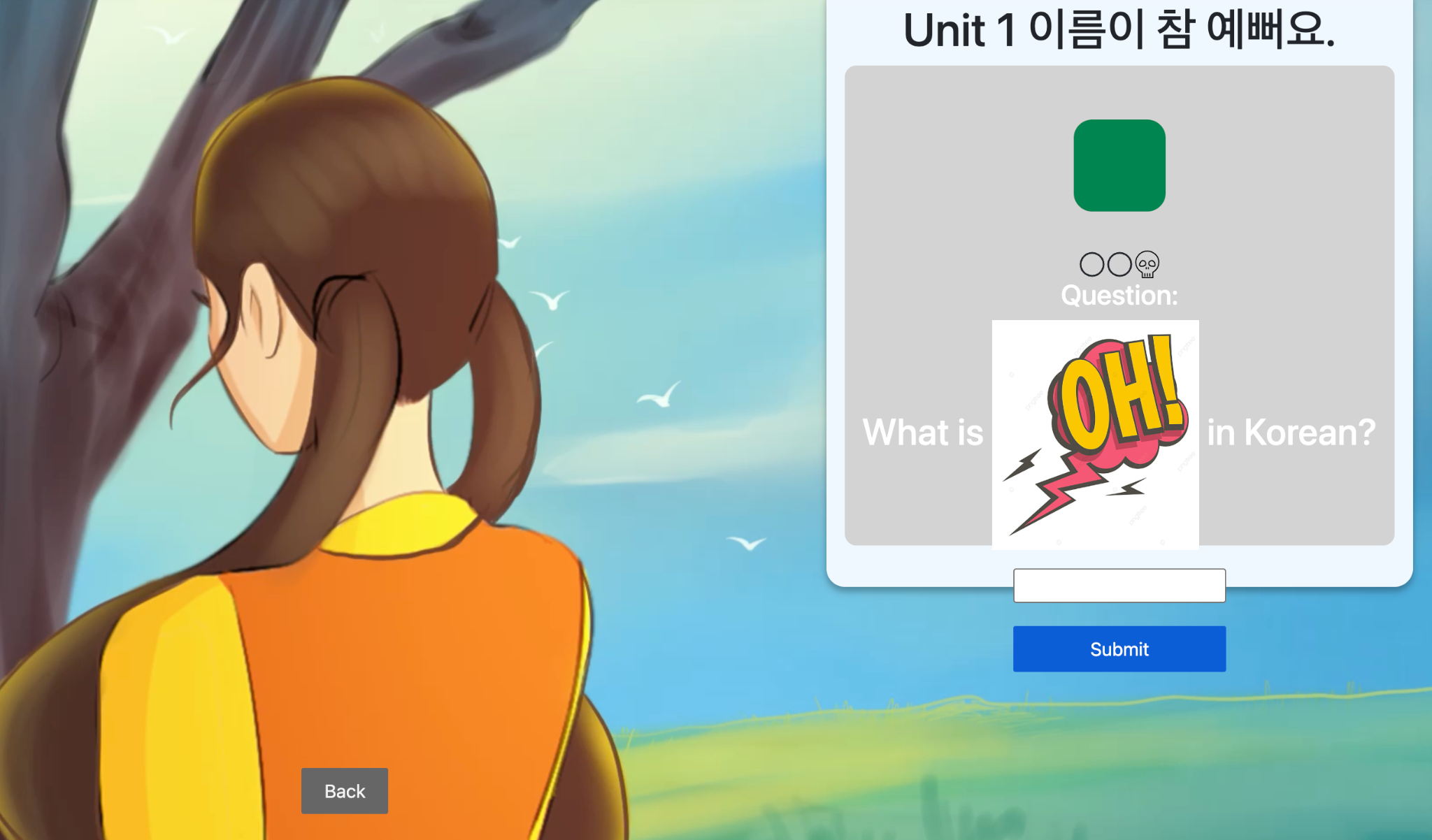
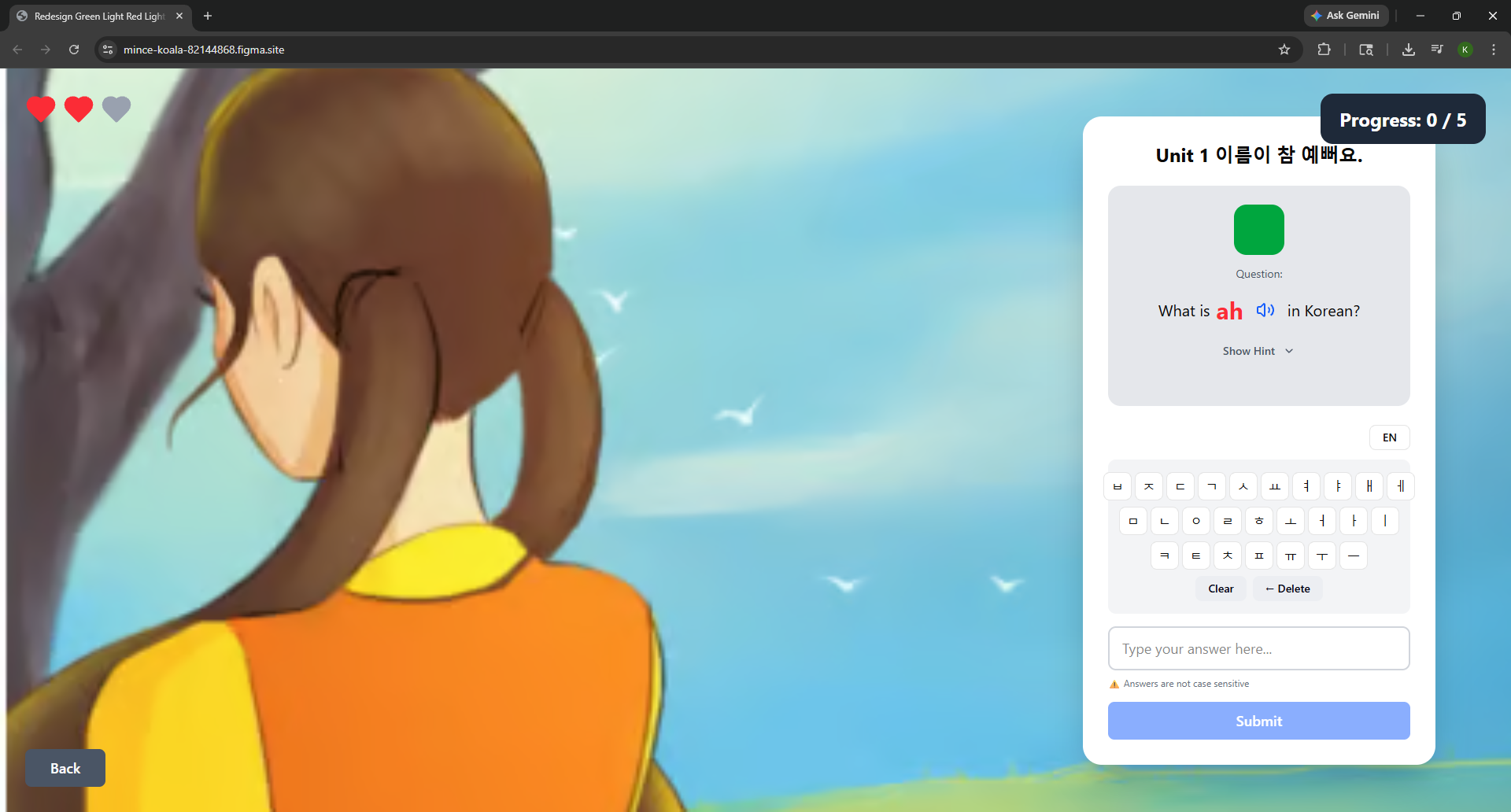
Task 4, which involved playing the vocabulary game, had the highest average completion time of any task at 80.5 seconds. The fastest participant, P3, finished in 20 seconds, while the slowest, P6, took 136 seconds. That is nearly a seven times difference. Screen recordings showed that 4 out of 6 participants went over 75 seconds not because they did not know the vocabulary, but because the game required Korean character input and the site did not provide a Korean keyboard. P6 said directly: "The game experience was fun but I need an option to turn on the Korean keyboard." P5 also pointed out that the case-sensitive answers caused correct responses to be marked wrong. Instead of making users dig through their device settings to add a Korean keyboard in the middle of a game, we recommend building a virtual Korean keyboard directly into the game screen. We also recommend making the answer checking case-insensitive so that correct answers are not penalized for capitalization differences. These two changes address the biggest problem found in the entire study. You can view our fully interactive prototype for the Red Light Green Light game page here: https://mince-koala-82144868.figma.site/
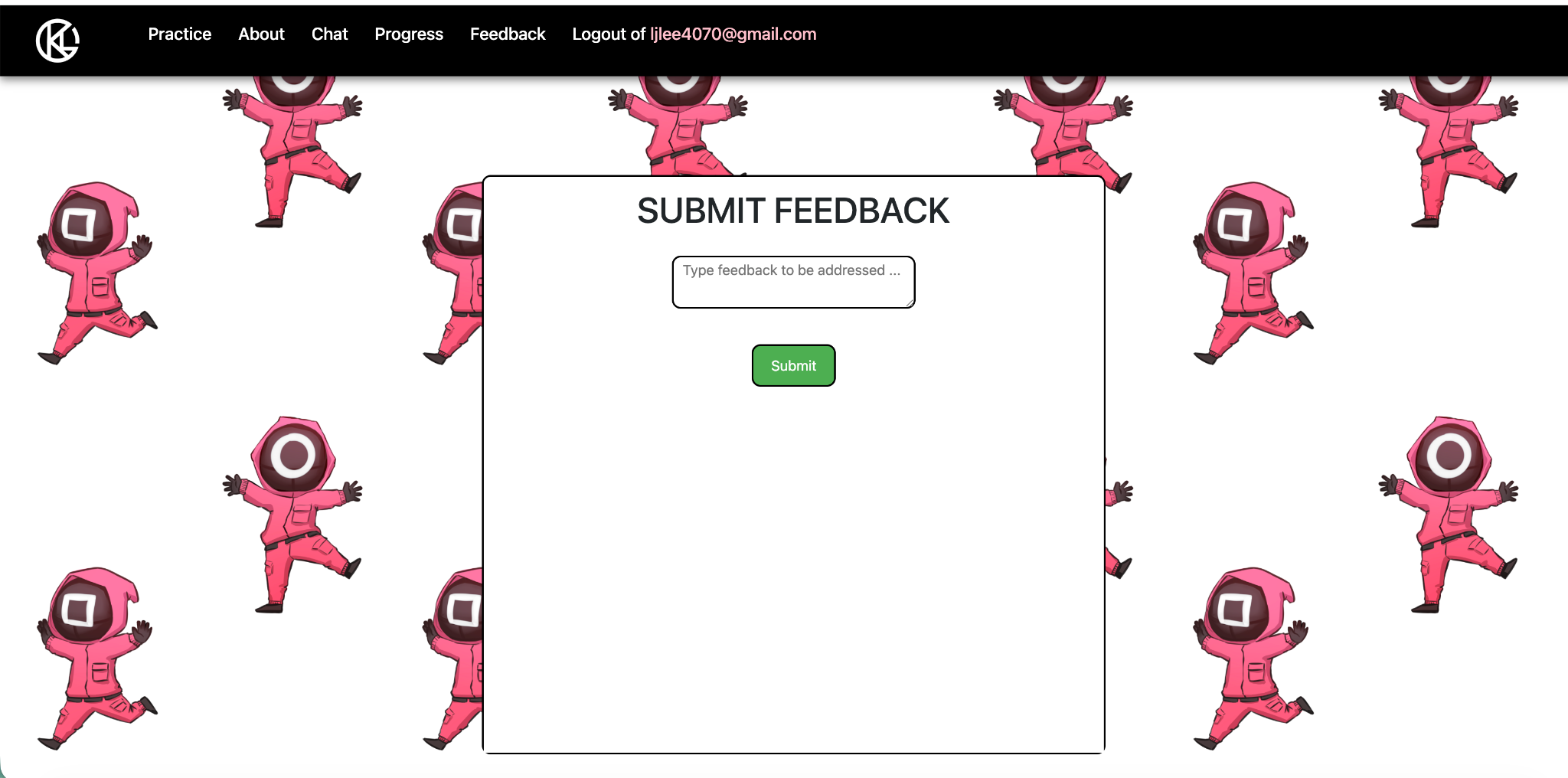
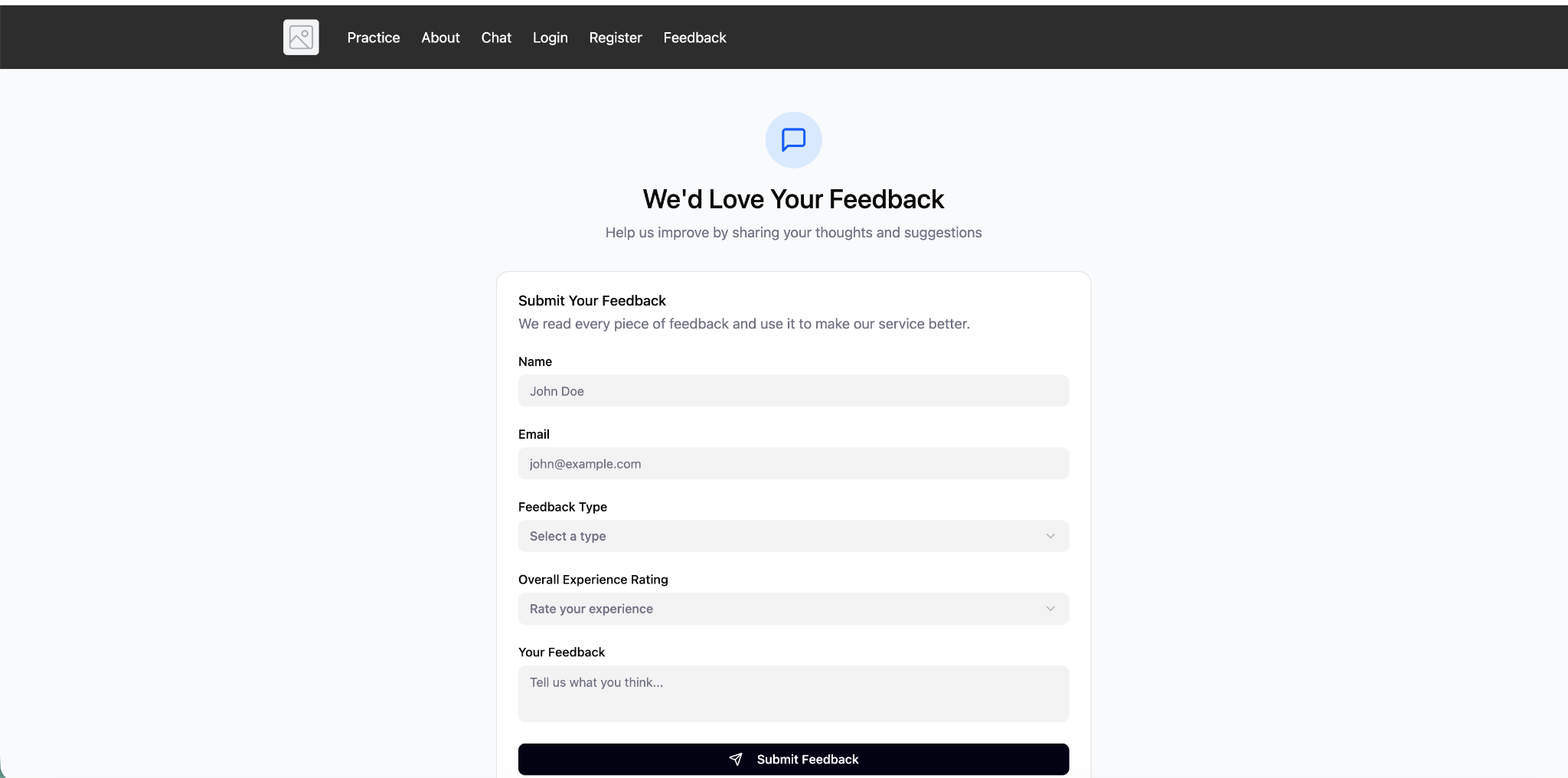
Task 6, which asked participants to submit feedback, was the only task in the study where some participants could not finish at all. Two out of six participants (33%) ran into serious errors: P4's form submission crashed the entire website, and P6 received a "Not Found" error after clicking submit. Even the four participants who did submit successfully were only given a blank text box with no categories or guidance on what to write. P4 summed it up: "[Feedback] did crash the whole website. I want specific categories for feedback." The original form made users do all the work of figuring out how to describe their problem on their own, and then the page broke on top of that. We recommend replacing the open text box with a structured form that includes a "Feedback Type" dropdown menu with options like Bug Report, Feature Suggestion, and General Inquiry. This lets users simply pick a category instead of guessing what to write. The backend issue that caused the crashes also needs to be fixed so the page works correctly every time. You can view our fully interactive prototype for the Feedback page here: https://stable-fawn-89596407.figma.site/
Conclusion
The design process for the KLG redesign served as a critical reminder that even the most engaging educational content can be undermined by fundamental usability barriers. By moving through iterative sprints, from initial heuristic evaluation to high-fidelity prototyping, the platform has been transformed from a visually cluttered and technically rigid environment into a user-centric learning tool. The final value of this project lies in its ability to lower the barrier to entry for beginner language learners. By resolving the substantial "input friction" and improving how imformation is presented through grid layouts and Quizlet-style interfaces, the redesign ensures that the user’s cognitive energy is spent on mastering Korean vocabulary rather than struggling with the interface.
The team learned that "minor" technical constraints, such as case-sensitive text inputs or the lack of a native Korean keyboard, manifest as major emotional stressors for users, leading to high abandonment rates. This project underscores that empathetic design requires looking past the intended "happy path" to solve for the specific moments of frustration that occur during real-world use.
Engineering Hand-off: For seamless implementation of this design, the engineering team should prioritize updating the input validation logic on the backend to be case-insensitive, and integrate a virtual Korean keyboard API for the games. The accuracy badges (star ratings and percentages) on the Units page must also pull from live user data, not static placeholders. The engineering team should confirm the existing Progress page endpoint is accessible and returns per-unit accuracy before building the card component. Lastly, the engineering team should ensure that the feedback endpoint is properly configured to handle the new structured feedback submissions.